🔗 Binding Skills
In order to be cast, skills need to be bound to specific skill slots. There can be at most one skill bound to one skill slot. Each skill slot corresponds to a different keybind, or key combo. There are multiple ways to bind skills:
- you can either let the players choose their keybinds through the
/skillsGUI, - enable/disable the editing of keybinds and hard-code the keybinds (like on Wynncraft, for instance),
- enable/disable the binding of specific passive skills altogether,
- or use commands to bind skills to skill slots.
For example, a skill bound to skill slot n1 could be cast by pressing the [1] key (or combo Left-Right), while the skill bound to skill slot n2 could be cast by pressing [2] (or by performing combo Left-Right).
Skill Slots
Skill slots are class-specific, which means that classes can have a varying number of skill slots, as well as different skill slot properties. For instance, magic-oriented classes like Mages, Wizards or Paladins could have more skill slots than melee<-oriented classes like Warriors or Brutes.
To edit the skill slots of a class, open up the class config file and look for/create the skill-slots section. Each entry under this config section corresponds to a single skill slot.
# classes/mage/mage.yml
skill-slots:
# First skill slot
'1':
name: "Skill Slot I"
lore:
- "&eReduces by &610% ðe cooldown of"
- "ðe skill bound to it."
can-manually-bind: true
unlocked-by-default: true
formula: "<ACTIVE>" # Can only be bound to active skills.
# This decreases by 10% cooldown of bound skill
skill-buffs:
- 'skill_buff{modifier="cooldown";amount=-10;type="RELATIVE"}'
# Second skill slot
'2':
name: "Skill Slot II"
lore:
- "&eGives &640 &eadditional damage to"
- "ðe skill bound to it!"
- "&eThis slot is for Aqua/Fire active skills."
can-manually-bind: true
unlocked-by-default: true
formula: "(<AQUA> && <ACTIVE>) || (<FIRE> && <ACTIVE>)"
# This gives +40 Damage to bound skill
skill-buffs:
- 'skill_buff{modifier="damage";amount=+40;type="FLAT"}'
#........Let's go over each parameter one by one.
Name and lore
Options name and lore are used to define the item name and lore of your skill slot as seen in the /skills menu.
Other Options
can-manually-bind determines if the player is allowed to manually bind skills to this slot. It is set to true by default. When set to false, the only way to bind skills to this slot is by using an admin command.
unlocked-by-default is set to true by default. When set to false, this skill slots needs to be unlocked, just like a skill in order to be usable. Until it is unlocked, the player cannot bind any skill to it.
Formula
Each slot also has a formula (specified by the formula entry) which determines the set of compatible skills, i.e skills that can be bound to that slot.
TIP
Comment this line out or set it to "true" to disable this option.
This option can be used to create things like Passive skill slots, where the player can only bind passive skills. If other skill slots are Active-only then you can make sure the player has at most one passive skill. The only limit is your imagination. Here are some examples of formulas you can use.
| Formula | Usage |
|---|---|
<passive> | Only passive skills |
<active> | Only passive skills |
<active> && <fire> | Only active skills with category fire |
<active> && (!<fire>) | Any skill that does not have category fire |
<passive> || <fire> | Only passive skills with category fire |
(<passive> && <fire>) || <active> | Only passive skills with category fire, OR active skills |
<firebolt> || (!<water>) | Only skill named firebolt, or any skill that does not have category water |
These formulas uses skill categories and support boolean algebra operators: !<aaa> (logical not), <aaa> && <bbb> (logical and), <aaa> || <bbb> (logical or).
Skill Buffs
Skill buffs can also be granted to skill slots. A skill buff is a specific buff applied on one specific parameter of a set of skills, for instance +10% Damage or -10% Cooldown. These skill buffs will only apply to the skill bound to that skill slot.
This feature can be used to create, for instance, Fire slots or Water slots which provide additional damage to lower cooldowns to a specific set of skills (which can be specified using skill formulas, see above).
Hardcoded Keybinds
If you plan on having a small set of skills per class, you might not need to give your players the option to choose their keybinds.
In this case, go to your class config file and edit its skill slots:
# classes/mage/mage.yml

skill-slots:
  '1':
    name: "Skill Slot I"
    lore: []
    #...
    hardset: FIREBALL # <========================

  # other skill slots....
By setting the hardset parameter to a skill ID, like FIREBALL (or whatever skill you have configured for the class), you forcefully bind that skill to this skill slot for all players.
Unlocking Skill Slots
By default, all skill slots are unlocked. If not, they can be unlocked using the following command, where <slot_number> starts at 1 (not 0).
/mmocore admin slot lock <player> <slot_number>
/mmocore admin slot unlock <player> <slot_number>
Locked skill slots are not visible in the skill GUI.
Default Config for Skill Slots
# classes/mage/mage.yml

skill-slots:
  '1':
    name: "&aSkill Slot I"
    unlocked-by-default: true
  '2':
    name: "&aSkill Slot II"
    unlocked-by-default: true
  '3':
    name: "&aSkill Slot III"
    unlocked-by-default: true
  '4':
    name: "&aSkill Slot IV"
    unlocked-by-default: true
  '5':
    name: "&aSkill Slot V"
    unlocked-by-default: true
  '6':
    name: "&aSkill Slot VI"
    unlocked-by-default: true
Binding active skills
Since active skills are proactively cast by players, they all require to be bound to a specific skill slot before being used.
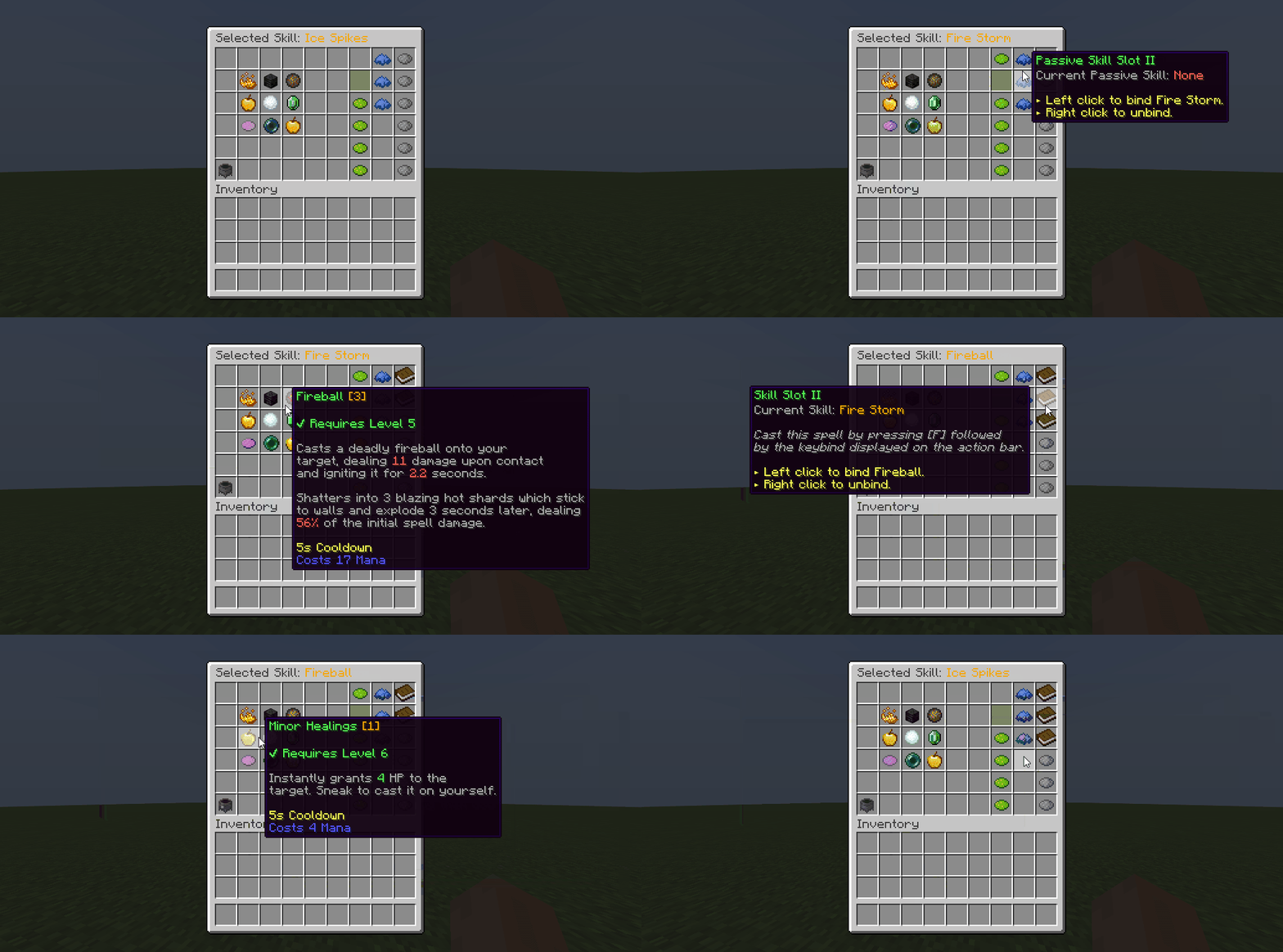
Players can bind skills to skill slots from inside the /skills GUI. In the skill GUI, available skills are displayed on the left. Click the skill you would like to bind (the GUI name should update), then on the rightside, click the skill slot where you'd like to bind your skill. Once an active skill is bound, you can cast it.
Binding passive skills
Passive skills might or might not require binding to take effect. In your class skill configuration, set the needs-bound field to false to make your passive skill permanent. Permanent skills always take effect, as soon as they are unlocked by the player, and do not require binding. Only passive skills can be permanent.
In the following example taken from the classes/mage/mage.yml config file, the Power Mark passive skill for the Mage class does not require binding in order to take effect.
# classes/mage/mage.yml

# Other class options......

skills:
  # Other skills.....
  POWER_MARK:
    level: 5
    max-level: 30
    # .......
    needs-bound: false # Does not need to be bound to apply its effects
The default MMOCore config files for the Mage class features three Passive skill slots where players can only bind passive skills.
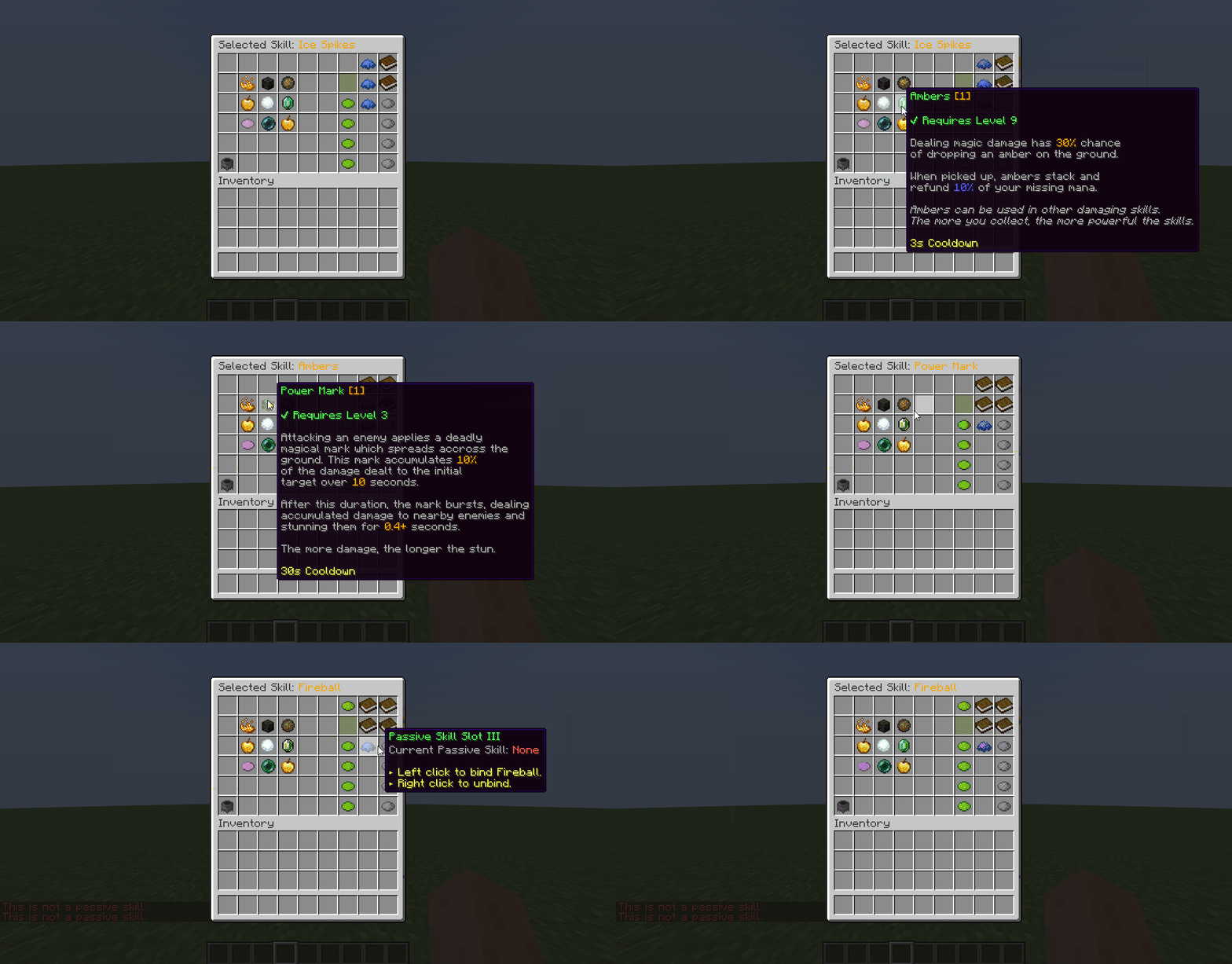
In the main MMOCore configuration file, you can also toggle off the option passive-skill-need-bound. By default, this option is set to true. This means that, unless specified otherwise, passive skills must all be bound to a skill slot in order to take effect.
Using commands
If you don't want players to bind their skills and keybinds, you can use the following command to bind skills to specific slots instead.
/mmocore admin slot bind <player> <slot_number> <skill>
/mmocore admin slot unbind <player> <slot_number>
The bind command will work, even if the designated skill OR skill slot is not unlocked by the player. If the designated skill is not unlocked by the player, the skill will be bound but the skill will remain locked, and the player will get a friendly error message when trying to cast it. If the designated skill slot is not unlocked, the skill will be castable but the skill slot will remain locked.