🎨 Inventory Textures
This page explains how to apply a custom texture to any player inventory in MMOInventory.
The Problem
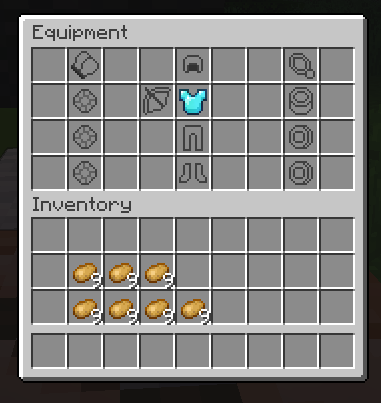
Below is a screenshot that shows a very barebones setup of a custom inventory. As you can see, the vanilla grid pattern is very ugly and we would like to hide it.
Using a custom font
Custom fonts are now part of the default MMOInventory config files. For this tutorial, we will consider the inventory located at .\inventory\default_mmoinventory.yml.
ui_layout:
  # .....
  name:
    self: "&f%mythiclib_space_-17%\u40E0%mythiclib_space_-169%<#3F3F3F>Equipment"
    other: "&f%mythiclib_space_-17%\u40E0%mythiclib_space_-169%<#3F3F3F>Equipment of {name}"
Note that there are two names, one for opening your own inventory, and another one when opening the inventory of another player. Also note that:
\u40E0is a custom font character introduced by the default MMOInventory resource pack.%mythiclib_space_-17%is a placeholder introduced by MythicLib which inserts 17 negative spaces.<#3F3F3F>is the default Minecraft font color for inventory names (as of 1.21.8).
MMOInventory comes with four ready-to-use inventory textures. Choose the one you prefer the most! You'll find below a table with all built-in inventory textures.
| Texture | Row Count | Code | Screenshot |
|---|---|---|---|
| Classic | 4 | \u40E0 | 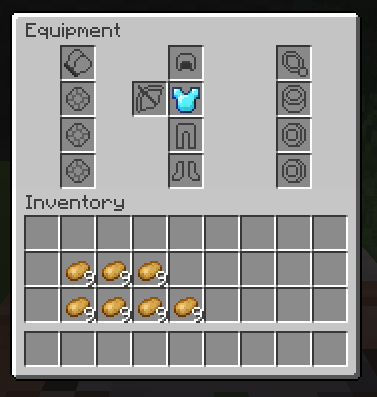 |
| Classic | 6 | \u40E0 | 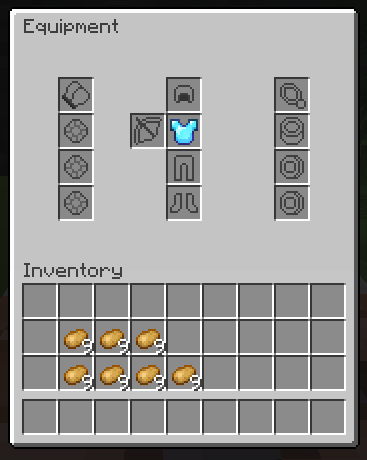 |
| Enhanced | 6 | \u40E0 | 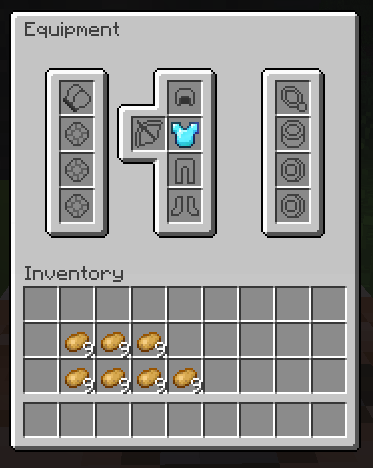 |
| Oraxen-like | 5 | \u40E3 | 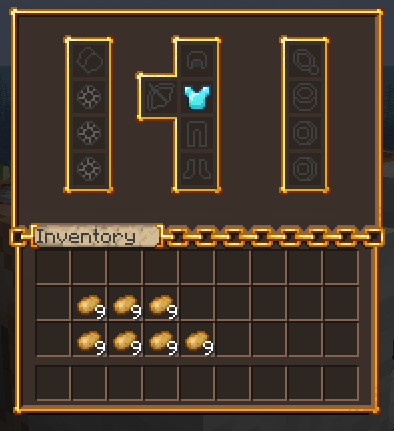 |
1.20.x and below
In 1.20.x and below, there used to be a workaround using the display.gui.scale parameter of item models. When using a gray uniform texture as a "filler" texture, you could set the scale parameter to something like 1.1 (110% apparent texture size), which would cause the item texture to overflow and cover up the vanilla inventory grid pattern.
Old Model File
For reference, this is the model file that was used for the filler texture. Note that the item/fill texture is a gray uniform texture with color code #C6C6C6 (vanilla inventory background color, as of 1.21.8).
{
  "parent": "item/handheld",
  "textures": {
    "layer0": "mmoinventory:item/fill"
  },
  "display":{
    "gui": {
        "rotation": [ 0, 0, 0 ],
        "translation": [ 0, 0, 0 ],
        "scale": [ 1.1, 1.1, 1.1 ]
    }
  }
}
This no longer works in recent versions (1.21 and above). While the scale parameter still exists, the texture overflow mecanism was patched. In recent versions, we recommend using a custom font to completely override the vanilla inventory texture. Good news, this is super easy to do, and you can also use this to fully