🎒 Vanilla Inventory
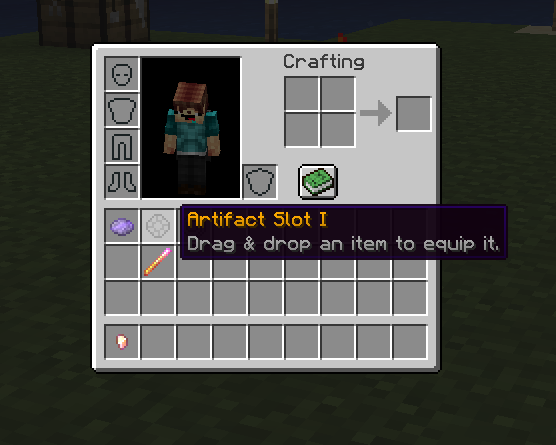
The player's vanilla inventory can be directly used to place accessory slots and buttons. This feature is fully compatible with the use of zero, one or more custom inventories.
Configuration
Toggle off the enabled option, or remove the vanilla_inventory.yml config file altogether to disable the use of the player's vanilla inventory. It is disabled by default so you don't actually need to do anything if you don't plan on using it.
# For the vanilla inventory, this option is not very important,
# it only has to be different from other inventories
id: vanilla_inventory

# Will place items in the player's vanilla 3x9 inventory grid
# Either 'vanilla' or 'custom'
type: vanilla

# Toggle on/off for temporary disabling this inventory.
# Vanilla inventory is disabled by default.
enabled: false
WARNING
Make sure you set the type option to vanilla. Also make sure that you only have one inventory config with the type option set to vanilla.
Item Slots
Any slot that you configure in the slots config section file will appear in the vanilla player's inventory. It works just like with the inventory GUI: players can drag & drop items onto custom slots to equip items. Slot items appear on player login, so make sure you restart your
INFO
Note that you cannot use vanilla slot types such as helmet or off_hand in the vanilla inventory, as they are already there.
If a player connects and they already happen to have items placed in their vanilla inventoryn and MMOInventory tries to put a slot item there, it will first try to move the item somewhere else first. The player's items will not be lost.