💍 Item Tiers
Item tiers are used to define item rarity (common, rare, legendary...). They define the modifier capacity of an item when being generated, which directly impacts how many modifiers an item can have. They also define the loot dropped when deconstructing an item, as well as a few display options such as item glow and item hints.
The default tiers are Trash, Common, Uncommon, Rare, Very Rare, Legendary, Mythical, Epic, Magical and Unique. You can edit the tiers in the tiers.yml config file located in the main plugin folder.
Item Deconstruction
Items that have a tier (common, rare, legendary...) can be deconstructed. Deconstructing an item transforms the item into another item, usually a material players can then use at the advanced workbench to craft other items. The item players get from deconstructing another item entirely depends on the item tier. Players might drop other weapons, or even materials they can use to craft other weapons.

This feature actually allows players to get rid of the items they can't use because they don't meet the requirements while using another resource (since deconstructing an item requires a consumable).
This drop table behaves exactly like a monster/block drop table, please refer to this wiki page to learn how to setup them.
RARE:
  name: '&6&lRARE'
  # ...
  deconstruct-item:
    success:
      coef: 1
      items:
        MATERIAL:
          RARE_WEAPON_ESSENCE: 100,1-1,0
    lose:
      coef: 3
      items:
        MATERIAL:
          WEAPON_POWDER: 100,1-1,0
How to deconstruct an item
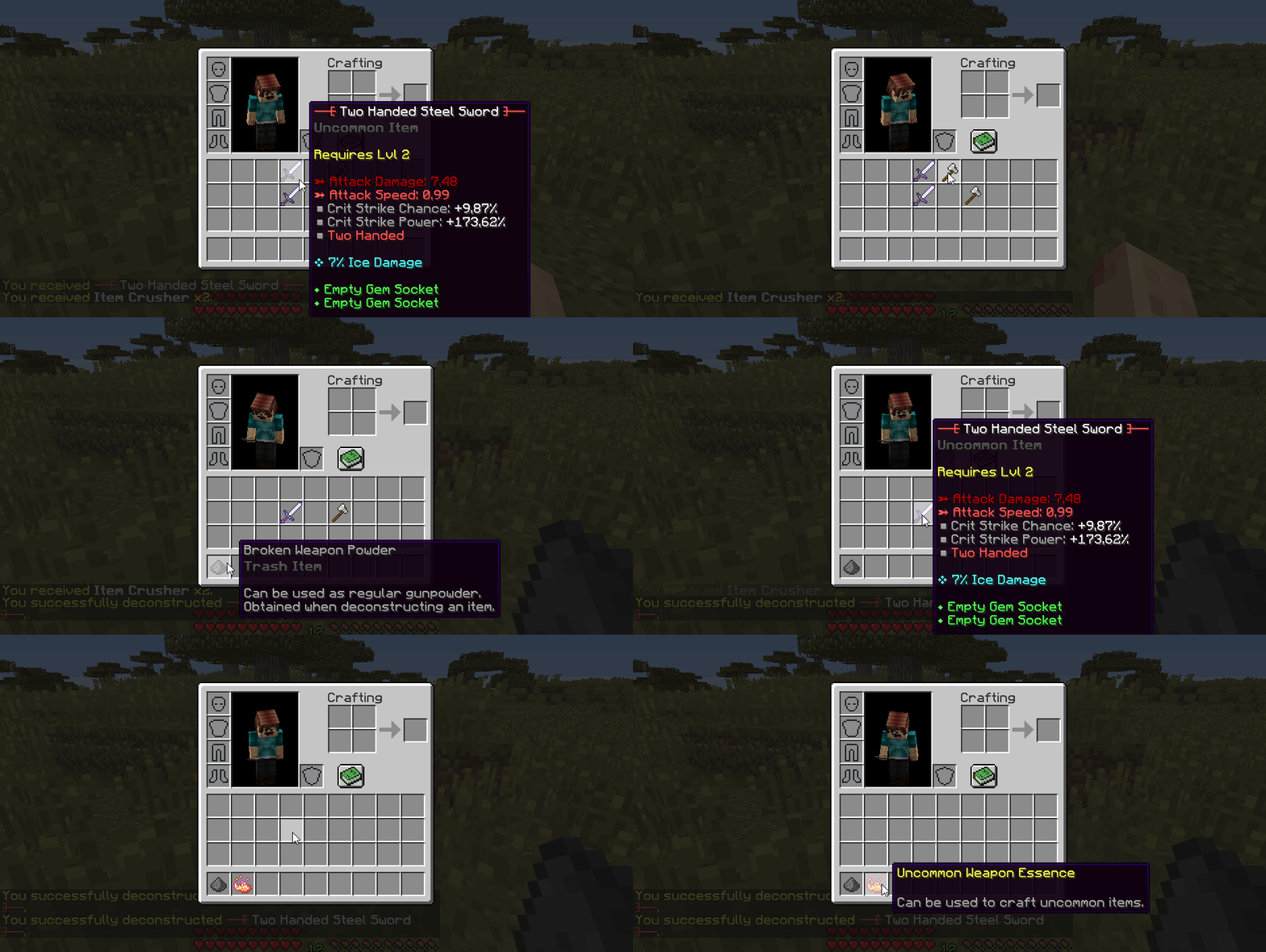
Players can deconstruct an item by drag & dropping a specific consumable onto their item. This consumable must have the Can Deconstruct option toggled on. They will hear a level up sound and receive a message saying their item was successfully deconstructed.
As seen on the GIF, deconstructing an item can actually give different drops from time to time which means that you can have, for instance, items harder to get than other items when deconstructing a tiered item.
Item Glow & Hints
Item hints and item glow are two features that depend on the item tier. Item Gints let you display the item name when the item is dropped on the ground, and Item Glow makes your item emit a glowing effect (similar to the Glowing potion effect) when dropped.
RARE:
    name: '&6&lRARE'
    # ...
    item-glow:
        hint: true    # Enable the display of the item name when dropped
        color: 'GRAY' # Item glow color, see the list of available colors in the config file
Since these options depend on the item tier, you can have different glow colors and hint options for each tier! We recommend you to use the item hint and glow features for high tier items only, so that players can easily spot rare loot on the ground. Item hints allow the player to see the item name without having to pick it up, and item glow makes the item easier to spot in dark areas.
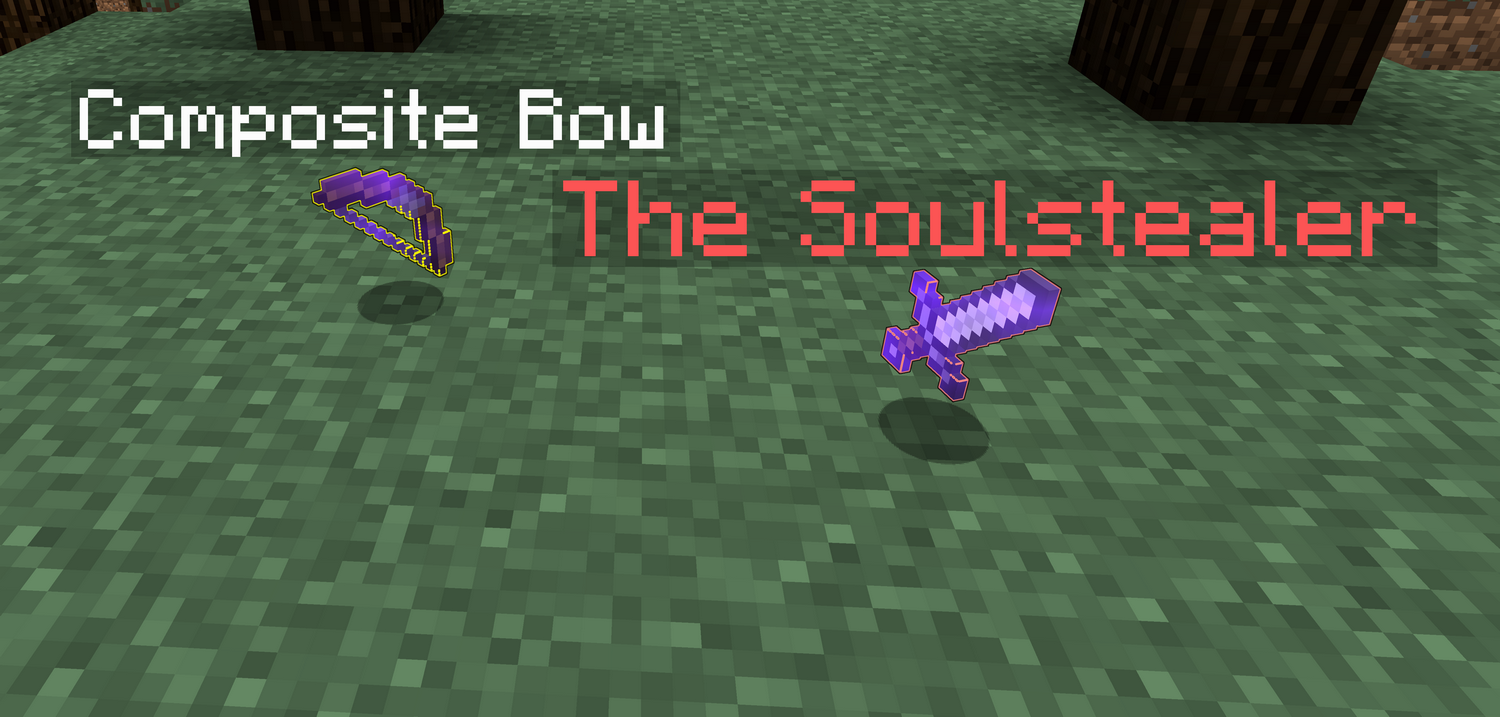
You can enable the item hints by toggling on the item-glow.hint option in the tier config file. Remove this config section or leave it to false to disable it.
The item-glow.color option lets you setup the item glow color. Leave it to empty to disable item glow for the item tier. You can access the color list using the link provided in the config file.
Unidentified Items
Item tiers also define a few display options for unidentified items as seen on the following config template:
EPIC:
    name: '&4&lEPIC'
    # ...
    unidentification:
        name: 'Epic'
        range: 6
        prefix: '&4'
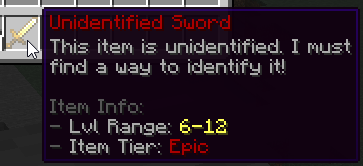
The item tier does not define the unidentified item pattern (item types do, see this wiki section). The name option corresponds to the tier name displayed in the unidentified item lore. The range option corresponds to the unidentified item level range which only displays when the item has the Required Level option.
The level range gives an extra info to the player and lets him know approximately the level of the weapon. Since he can also see the item tier, he can decide whether or not he would like to identify the item. The prefix option is used to add a color prefix to both the unidentified item display name, and the tier name displayed in the item lore.
Modifier Capacity (Item Generation)
TIP
Make sure you learn about item templates and item modifiers first.
This is a sample from the default item-tiers.yml which we'll be breaking down to understand how to setup modifier capacity for your item tiers.
UNCOMMON:
  name: '&a&lUNCOMMON'
  # ...
  generation:
    chance: 0.15       # 15% chance to be of this tier when generating a random item
    capacity:
      base: 6        # Base capacity
      scale: 1       # Scales on the item level, +1 per level
      spread: .1     # Adds randomness, +/- 10%
      max-spread: .3 # Limits randomness to max +/- 30%
The generation.chance option determines the chance for your item tier to be selected when generating a random item. For instance, if set to 0.15, your item will have a 15% chance to be of tier Uncommon when generated.
The generation.capacity config section defines the tier modifier capacity, and it works like a regular numeric stat formula. The formula is the following: capacity = <base> + <item_level> * <scale> to which you add a +/-<spread>% offset which a maximum offset of <max-spread>%.
For instance, using the capacity formula in the config snippet above, let's say we are generating a level 12 item: average-capacity = 6 + 0.1 * 12 = 7.2. Since there's a 30% max spread, the capacity final value will be randomly picked between 70% * 7.2 = 5.04 and 130% * 7.2 = 9.36, with an average +/- 10% offset (relative to the average value of 7.2).